
Most remotes that work only sometimes are failing for one of three reasons: a fading battery, radio interference, or a misplaced opener antenna. Start with a fresh battery, check the antenna hangs straight down, and test with the garage lights off. If the wall button also misbehaves, the fault is in the opener or the door, not the remote.
You press the button in the driveway and nothing happens. You press it again and the door rolls up as if nothing was ever wrong. A remote that works sometimes is not random — it is a pattern with a cause, and this guide reads the pattern the way a technician does: battery, interference, antenna, opener, in that order.
It usually picks a cold Colorado Springs morning. You are standing in the driveway, coffee going cold in the cup holder, running late before the day has even started — and you press the remote. Nothing. The door sits there. You press again, harder, as if pressure helped, and this time it rolls up without a murmur, as though nothing had happened.
That is the particular frustration of an intermittent fault: it never fails on a schedule, and it never quite fails completely. The worry underneath is practical — one of these mornings the second press will not work either, and you will be choosing between leaving the car outside, leaving the house unsecured, or arriving late. The reassuring part is that 'sometimes' is itself diagnostic information. A remote that works sometimes is telling you where to look, if you read the pattern before replacing anything.
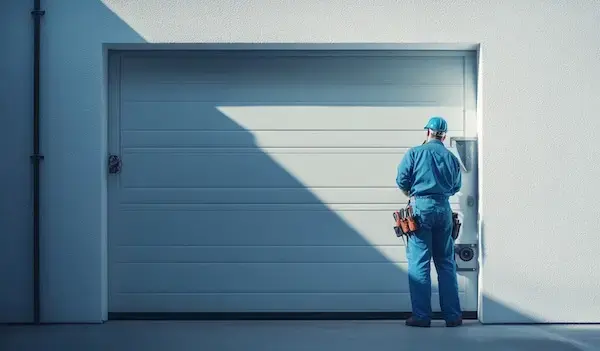
Why Does a Garage Door Remote Work Sometimes and Not Others?
A remote-controlled opener is a chain of small events: the remote sends a coded radio signal, the opener's antenna receives it, the receiver in the motor unit recognises the code, and the motor runs the door. An intermittent fault means one link in that chain is marginal — strong enough to succeed when conditions are kind, too weak when they are not.
That word, marginal, is the key to the whole problem. A dead remote fails every time, and the cause is usually obvious. A marginal one fails at the edges: from the end of the driveway but not from inside the garage, on cold mornings but not mild afternoons, when the garage lights are on but not when they are off. Each of those edges points at a different link — power in the remote, noise in the air, reach of the antenna, or health of the receiver.
Work through the causes in the order below, cheapest and commonest first, and change one thing at a time. Swap two things at once and you may fix the door without learning why — which matters, because a marginal fault you do not understand tends to return in worse weather. If your remote has stopped entirely rather than intermittently, our step-by-step guide to a garage door remote not working starts from that colder trail.
Is It the Battery? How to Tell in 60 Seconds
The battery is the first suspect because it fails gradually and lies about it. A remote's coin cell can keep lighting the little LED long after its voltage has sagged too far to send a strong signal — the light says the remote is alive, but the shout has become a whisper. Cold makes it worse: a tired battery that manages at noon may not manage at dawn.
Four symptoms name a fading battery before any tool comes out:
- Works only up close — the door responds when you are beside it, not from the street
- Range shrinking over weeks — you creep closer to the door each month before it answers
- Dim or flickering remote light — the LED glows weakly, or brightens when you squeeze the case
- Works on the second or third press — the first signal is too weak, and a later one gets through
Any one of these earns a fresh battery before anything else is touched — it is the smallest part in the whole system and the commonest cause. Match the cell type printed inside the remote, seat it firmly, and test from your normal parking spot, not from inside the garage. If a new battery restores the old range, the diagnosis is done. If it changes nothing, you have cleanly ruled out the first link, and the signal itself is next.
What Is Radio Interference — and What Causes It in Your Garage?
Your opener listens on a specific radio frequency — commonly 315 or 390 megahertz, depending on the model and its age. The remote's signal is a short, quiet transmission on that band. Interference is anything else crowding the same air: think of it as static at a volume that sometimes drowns the remote out and sometimes does not, which is precisely why the fault comes and goes instead of failing outright.
The usual sources are ordinary household electronics. LED bulbs are the classic culprit — not the light itself but the small driver electronics in cheaper bulbs, which can spray radio noise across nearby bands, especially while lit. Wi-Fi routers and mesh nodes parked on a garage shelf, security cameras and their power supplies, baby monitors, solar inverters, battery chargers and even a neighbor's newly installed device can all raise the noise floor. The pattern to notice: the fault often starts within days of something electrical arriving or changing.
The test costs nothing. Note whether the remote behaves worse with the garage lights on — if it does, swap the opener's own bulb and nearby LEDs for a quality bulb, or one made for garage door openers, and test again. Move a router or camera power supply a few feet from the motor unit. You are not hunting a single villain so much as lowering the static until the remote's voice carries again.
Where Is the Antenna, and What Should It Look Like?
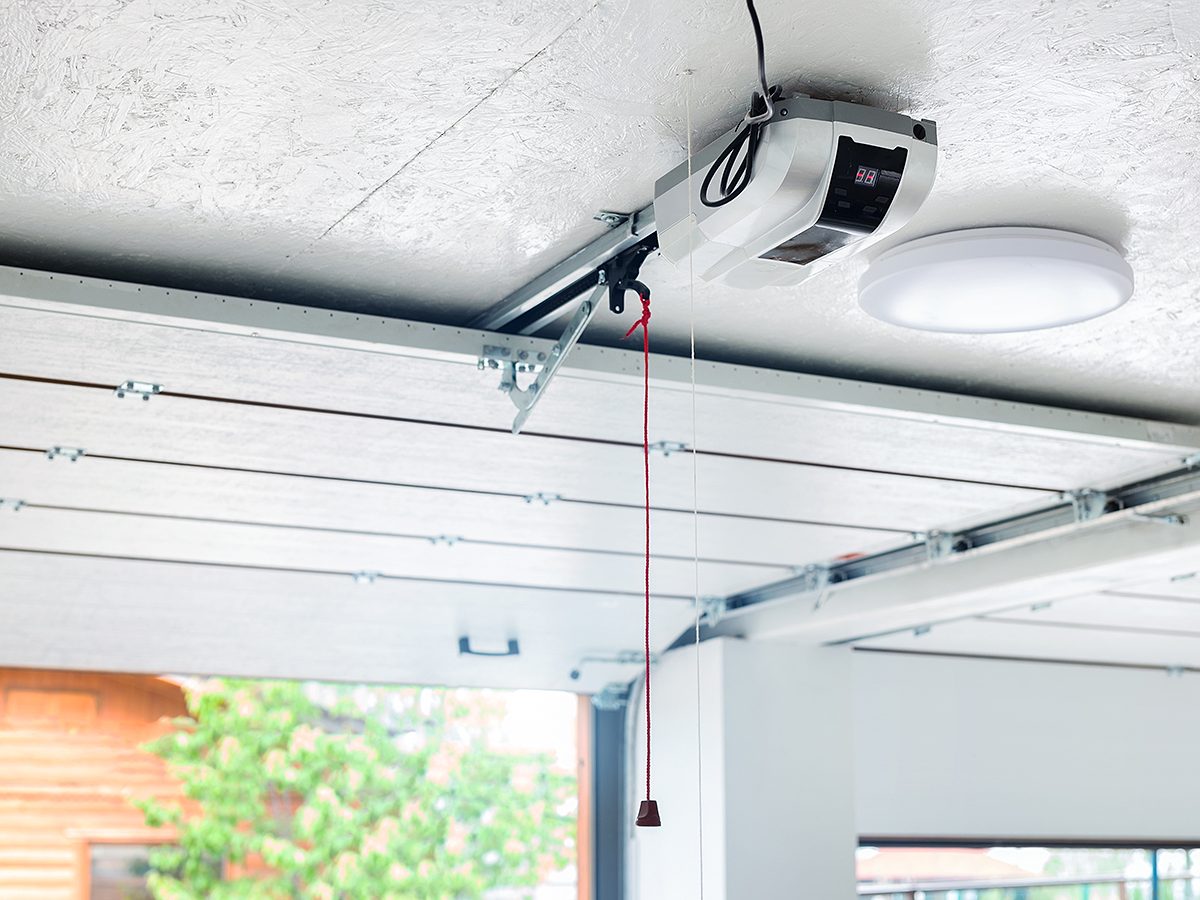
The receiver's antenna is easy to miss because it looks like nothing: a single thin wire, usually grey or black, hanging from the bottom of the ceiling-mounted motor unit. That short wire is the opener's ear. Everything the remote sends has to arrive through it — and because it is just a wire, it gets knocked, tucked and forgotten during every garage tidy-up.
A healthy antenna hangs straight down from the housing, free in the air. The problems are all variations on someone tidying it away: coiled around the rail, kinked sharply, tucked up inside the housing during a bulb change, taped along the unit, or left resting against metal ductwork. Coiling shortens its effective length; contact with metal detunes it; tucking it inside the case puts the housing itself between the wire and your remote. Any of these can cut the range hard without breaking anything — the classic recipe for works-up-close, fails-from-the-driveway.
The check takes a minute: stand where you can see the motor unit and follow the wire. If it is coiled, kinked or tucked, let it hang straight down, clear of shelving, ductwork and anything stored against the unit. Do not open the housing to retrieve a wire that has vanished inside — that is where this check ends and a service visit begins.
Could the Problem Be the Opener, Not the Remote?
Before blaming the remote any further, run the simplest experiment in this guide: the wall-button test. The wired wall button talks to the opener with no radio involved. If the door runs perfectly from the wall button, every time, the opener's motor and logic are healthy and your fault lives in the radio path — remote, battery, antenna or interference. If the wall button is also unreliable, stop investigating the remote: the fault is in the opener, the safety system, or the door itself.
One behaviour deserves its own warning. A door that starts, then stops or reverses on its own is usually not mishearing you — it is refusing, on purpose. The opener monitors its photo-eye sensors, the door's balance and the resistance along the travel path, and it reverses when any of them reports a problem. That is a safety response, and from the driveway it can look exactly like a remote fault. Our photo-eye sensor alignment guide covers the sensor half of that story. Receiver boards also age: an opener that forgets its remotes after outages, or hears one remote but never another known-good one, is reporting from inside the housing — diagnosis territory, not driveway territory.
Why Do Colorado Springs Homes See This More Often?
Intermittent remotes happen everywhere, but several Front Range habits stack the odds here. Cold mornings come first: at this altitude, winter dawns regularly drop below freezing, and cold drains small coin-cell batteries faster — a remote that is merely tired in October can be marginal by January, failing at 7 a.m. and recovering by lunch.
Power surges come second. Hail season and freeze-thaw cycles bring outages, flickers and lightning-season spikes, and a surge can scramble an opener's memory or leave a remote half-forgotten — working, but unreliably, until it is relearned. Metal comes third: steel garage doors and the metal roofing common on newer builds reflect and block radio signals, so the remote's shout arrives weaker, and by stranger paths, than it would at a wooden door.
The subtler factors are geometric. Many Colorado Springs garages face west, and strong afternoon sun can pour straight into a photo-eye sensor and blind it — the door that closed all morning refuses at coming-home time, wearing the disguise of a remote fault. Newer subdivisions pack homes close together, so a neighbor's opener, router and LED porch lights all share your airspace. And the wind off the plains carries fine dust that films sensor lenses a little more each month. None of these is exotic; stacked together, they explain why a remote can behave for years and then, one season, does not.
The 10-Minute Pattern Test: Find the Cause by When It Fails
Intermittent faults surrender to records, not guesses. This test takes about ten minutes and a phone note, and it converts 'sometimes' into evidence.
Note the failures. For the next few days — or from memory, right now — write down when the remote failed: time of day, temperature, lights on or off, and where the car was. Patterns hide until they are written down.
Change one variable at a time. Test from inside the garage, then from the end of the driveway. Test again with the garage lights switched off. Test the household's second remote, if there is one. Finish at the wall button.
Then read the results:
- Fails from the driveway, works inside — a range problem: battery, antenna, or metal between you and the opener
- Works with lights off, fails with them on — LED interference, most likely the opener's own bulb
- One remote fails, the other never does — the fault travels with that remote: its battery, or the remote itself
- Both remotes fail, wall button flawless — the shared radio path: antenna position or interference
- Wall button also unreliable — not a remote fault at all: opener, sensors or door
- Fails at the same time daily — something scheduled: afternoon sun on a sensor, or a device that wakes at that hour
Whichever line matches, you now hold a diagnosis a technician can act on — and in the first four cases, quite possibly the fix itself.
Safe DIY vs Never DIY: Where the Line Is
Everything in this guide so far sits on the safe side of a bright line. Safe for any homeowner: swapping the remote's battery; looking at the antenna and letting it hang straight; wiping the photo-eye lenses with a soft, dry cloth; moving a router or charger a few feet from the motor unit; and reprogramming a remote from the opener's learn button, following the manual for your model step by step. These ask for eyes, a cloth and a step ladder — nothing under tension, nothing opened, nothing rewired.
Never DIY: anything involving the springs or lift cables, which store the energy that raises the door and can release it without warning; and opening the opener's housing to reach the receiver board, gears or wiring. The line is not about confidence or tools — it is about stored energy and household electricity sharing one machine. If your pattern test points inside the housing or at the lift system, the DIY chapter is finished — and finishing it there is the success, not a surrender.
When to Call a Professional
Call when the pattern test points at the opener or the door, when a fresh battery and a straight antenna change nothing, or when the door itself starts behaving — reversing, stopping mid-travel, growing heavy. Three worries usually delay that call, and each deserves a straight answer.
The safety worry is the legitimate one. A door that might reverse unexpectedly or drop is not a nuisance fault; a proper visit begins by making the door safe and testing the reversal systems, not by cycling it repeatedly and hoping. The time worry usually inverts on inspection: ten minutes of pattern notes can end weeks of driveway guessing, because the technician arrives already knowing which link in the chain to test first. The disruption worry is the smallest of the three — remote and receiver diagnosis happens at the motor unit, needs no mess and no dismantled door, and the visit ends with the door working and the cause named, not merely coaxed.
When you are ready, our garage door opener repair page explains how opener faults are diagnosed and what a repair visit covers — or request service and lead with your pattern: 'fails on cold mornings, works by noon, wall button perfect' is half the diagnosis already done.
What to read next
If this guide pointed at the opener itself, our garage door opener repair service page explains how opener faults are diagnosed and what a visit covers, and the Colorado Springs garage door repair homepage gives the full picture of services. Two guides pair naturally with this one: the step-by-step for a garage door remote not working at all, and the photo-eye sensor alignment and cleaning guide, for the beam checks in detail.
Questions homeowners ask about this topic
Why does my garage door remote work sometimes but not others?
Because one link in the radio chain is marginal, not broken. A fading battery sends a weaker signal, interference raises the static that signal must cross, or a tucked antenna shortens the opener's reach. Each succeeds when conditions are kind and fails at the edges — distance, cold, or lights on. A completely dead remote fails every time; an intermittent one is reporting a borderline cause.
Why does my remote only work when I am right next to the door?
Because range is the first thing a weak link loses. Up close, even a feeble signal arrives strong enough to be heard; from the street, it does not. The usual causes, in order, are a tired battery, an antenna coiled or tucked against the motor unit, and interference in the garage. Fresh battery first, antenna hanging straight second, lights-off test third.
Can LED light bulbs really interfere with my garage door remote?
Yes — the bulb's driver electronics, not its light. Some LED bulbs emit radio noise on or near the bands openers use, and the opener's own bulb sits inches from its receiver, making it the worst-placed offender. The giveaway is a remote that fails while the garage lights are on and behaves with them off. Swapping to a quality bulb, or one made for openers, usually ends it.
Why does my remote work in the morning but not in the afternoon?
Because something in the pattern changes with the hour. On west-facing Colorado Springs garages, low afternoon sun can shine straight into a photo-eye sensor and blind it, so the opener refuses as if the doorway were blocked. Afternoons also wake the household up electrically — lights, chargers, cameras — raising interference. Note what else switches on at the failing hour; that is usually the culprit.
Will reprogramming my remote fix intermittent problems?
Only if lost programming is the cause. After a power surge or outage, an opener can half-forget a remote, and relearning it from the learn button restores a clean connection. But reprogramming cannot strengthen a weak battery, quiet interference, or straighten a tucked antenna. Reprogram a remote that changed after an outage; diagnose one that fades by distance, cold, or time of day.
Is it safe to keep using a remote that only works sometimes?
Mostly — while you arrange the fix, with eyes open. An intermittent remote is an inconvenience, not a hazard by itself. It stops being acceptable if the door starts reversing on its own, stops mid-travel, grows heavy or hangs unevenly — those are safety-system symptoms, not remote symptoms. Keep the doorway clear, never duck under a moving door, and treat a worsening pattern as a prompt to book the visit.
Stop before tensioned hardware
Do not unwind torsion or extension springs, loosen cable drums or bottom brackets, bypass photo eyes or push an off-track door into place. If the door becomes heavy, crooked or unsupported, keep people clear and use the emergency garage door repair guide.
Which garage door service pages should you read next?
Which related Colorado Springs guides add context?
Not sure what failed?
Describe what the door is doing, its current position and any visible damage. Same-day slots can fill fast, but timing is only confirmed after contact. Calls are answered 24/7 at (719) 403-0616.