
If your garage door remote is not working, first press the wall button inside the garage. If the door moves, the opener and door are fine and the fault is in the remote, its battery, its programming, or its signal. Replace the battery, check that lock mode is off, and reprogram the remote before assuming anything bigger has failed.
You press the button, nothing happens, and suddenly the whole evening changes shape. The car is in the driveway, the groceries are in the back, rain is moving in over the Front Range, and the garage door just sits there.
You press the button, nothing happens, and suddenly the whole evening changes shape. The car is in the driveway, the groceries are in the back, rain is moving in over the Front Range, and the garage door just sits there. It is fixed by finding out which part of the chain has actually broken: the remote, the opener, or the door itself. This guide walks that chain in order, from the two-minute checks to the point where it is time to stop and call a professional. Follow the steps in sequence and you will usually know the answer before you finish.
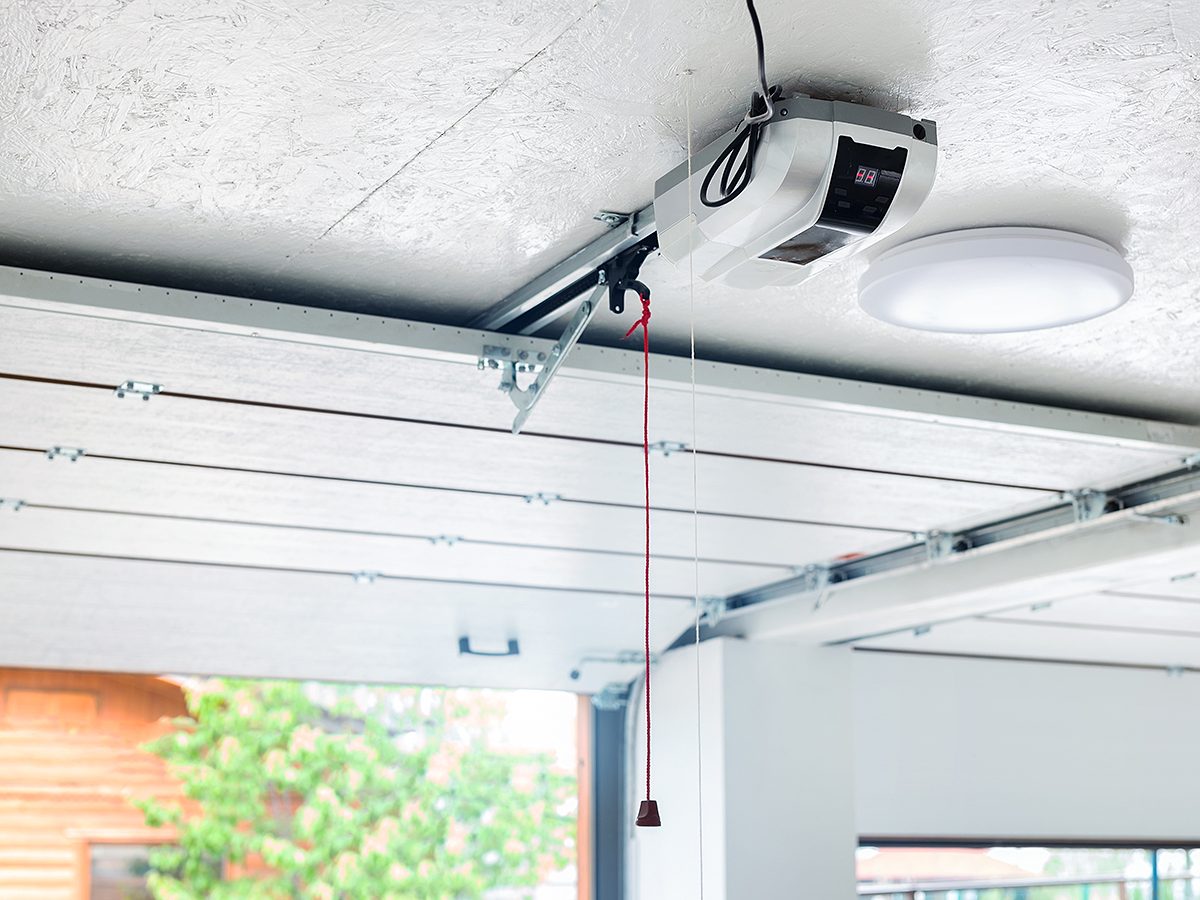
Why did my garage door remote stop working all of a sudden?
A remote rarely fails for a single dramatic reason. Most sudden failures come down to one of six causes, and telling them apart early saves a lot of wasted effort. The battery may have finally dropped below the voltage needed to send a strong signal, even though its little light still blinks. The wall console may have been bumped into lock mode, which silently disables every remote while the wall button keeps working. The remote may have lost its programming after a power outage or surge. Something new in or near the garage may be interfering with the radio signal. The safety sensors may be dirty or knocked out of alignment, so the door refuses to close. Or the remote itself may be worn out, dropped one too many times, or damaged by moisture.
A remote that worked yesterday and is dead today points toward battery, lock mode, or a power event. A remote that only works when you are standing right under the opener points toward interference or a weak signal. A remote that opens the door but will not close it points toward the sensors, not the remote at all. A remote that works while every other remote in the house has also stopped points toward the opener's receiver or memory.
What should I check first: the remote, the opener, or the door?
Start with the wall button inside the garage, because it splits the whole problem in half in about ten seconds. If the wall button opens and closes the door normally, the opener has power, the motor works, and the door itself moves. Your problem lives in the remote side of the system: battery, programming, lock mode, or signal. If the wall button does nothing either, stop chasing the remote. Check that the opener is plugged in, that its outlet has power, and that no breaker has tripped. If the opener has power but still does not respond to the wall button, or if it hums, grinds, or moves the door only partway, the fault is in the opener or the door hardware, and remote troubleshooting will not fix it.
Next, work out whether one remote has failed or all of them have. Try a second remote, the wireless keypad if you have one, and the built-in button in a car if one is programmed. If one remote fails while the others work, the problem is almost certainly that remote: its battery, its button contacts, or its programming. If every remote fails at once, look at the things they share: lock mode on the wall console, the opener's memory after a power outage, interference drowning out the signal, or the receiver inside the opener.
How do I check and replace the remote battery properly?
A weak battery is the most common cause of a dead remote, and it is also the most misleading, because a weak battery can still light up the remote's indicator. That light only proves the battery has some charge, not enough charge to push a radio signal across a driveway and through a garage door. If your remote has started needing extra presses, if you have to stand closer than you used to, or if it works sometimes and not others, treat the battery as suspect even if the light comes on.
Open the remote carefully and note the battery type before you remove it. Most handheld remotes use a flat coin cell, commonly a CR2032, while some older models use a small cylindrical 12-volt battery. Match the type exactly and fit the new battery the same way round, with the positive side facing the direction marked inside the case. While the case is open, look at the metal contacts. A white or greenish crust, or dull discoloured metal, can interrupt the connection even with a fresh battery. Wipe the contacts gently with a dry cloth or a cotton swab barely dampened with rubbing alcohol, let them dry fully, and close the case so it clicks shut.
One safety note matters if there are small children in the house. Coin-cell batteries are small enough to swallow and can cause serious internal injury in a very short time. Change batteries out of children's reach, tape over used batteries before throwing them away, and make sure the battery cover closes securely afterwards. If you ever suspect a child has swallowed a coin battery, seek emergency help immediately rather than waiting for symptoms.
Is the lock button or vacation mode switched on?
This is the fix people feel most embarrassed about missing, and it happens more often than anyone admits. Most wall consoles have a lock feature, sometimes labelled vacation mode, designed to disable handheld remotes and keypads while you are away. The wall button keeps working, which is exactly what makes the fault so confusing: the door clearly works, yet no remote in the house will move it. A child leaning on the console, a sleeve catching the button while unloading groceries, or a guest pressing buttons out of curiosity can all switch it on without anyone noticing.
Look at the wall console for a lock indicator light, a padlock symbol, or a blinking light that was not blinking before. The exact control varies by brand and model, but on many units you switch lock mode off by pressing and holding the lock button for a few seconds until the light goes steady or goes out. Your opener's manual will give the precise sequence for your model, and it is worth following it rather than guessing. Once the light changes, test a remote straight away. If the door responds, you have found the problem, and no further troubleshooting is needed.
Why does my remote work up close but not from the driveway?
Range problems are signal problems, and they have a very recognisable signature: the remote works when you stand under the opener, works from the end of the driveway some days and not others, or has slowly lost range over weeks. Start by checking the opener's antenna, the thin wire that hangs from the motor unit. It should hang straight down, uncoiled, and clear of metal ductwork, shelving, and stored items.
The bigger culprit in many modern garages is radio interference. Garage remotes typically operate around 315 or 390 megahertz, and several everyday devices can crowd that part of the spectrum. The most notorious is a poorly shielded LED bulb in the opener itself or in a nearby fixture: the bulb's driver electronics can leak radio noise that effectively shouts over the remote's signal. A useful test is to switch the garage lights off entirely and try the remote again. If range suddenly returns, try swapping the bulbs for ones rated as compatible with garage door openers, which are shielded against this noise.
How do I reprogram a garage door remote?
Reprogramming sounds technical, but on most modern openers it is a short, calm procedure, and it is the right next step when the battery is fresh, lock mode is off, and the wall button works. Find the learn button on the opener's motor unit, not on the wall console. Press and release it once, then press and release the button on the remote you want to pair, following your manual's timing. The opener's light will usually blink or the door will move to confirm the pairing. If your opener uses an older dip-switch system rather than rolling codes, the switches inside the remote must match the switches on the opener exactly, and your manual will show the pattern.
Two cautions will save you trouble. First, do not hold the learn button down for a long time unless your manual tells you to, because on many units a long press erases all stored remotes and keypads, leaving you to reprogram every device in the house. Second, if the remote stopped working after a power outage, reprogramming is a particularly likely fix: outages and surges can scramble or erase the opener's stored codes. Reprogram the affected remote, then test every other remote and keypad too, since the same event may have knocked them out as well. If a freshly programmed remote works once and then forgets itself again within days, that pattern points toward a failing receiver or control board rather than a pairing mistake, and that is a professional repair, not another round of reprogramming.
Could the safety sensors be stopping the remote?
Yes, and this is the most common case of blaming the remote for something else entirely. The safety sensors are the two small boxes near the floor on either side of the door tracks, and they must face each other cleanly for the door to close. If they are dirty, knocked out of alignment, or blocked by a stored item, a leaf, or a cobweb, the opener will usually still open the door but will refuse to close it, or will close it only while you hold the wall button down. From the driveway, that looks exactly like a remote that has stopped working, because pressing the button appears to do nothing useful.
Check the sensor lights first. On most systems one sensor shows a steady light and the other shows a receiving light, and a blinking or dark receiving light means the beam is broken or misaligned. Wipe both lenses gently with a soft cloth, remove anything sitting in the beam's path, and check that neither sensor has been nudged by a bicycle tyre, a storage bin, or a broom handle. The sensors should sit at the same height and point squarely at each other. Never tape, bypass, or rewire sensors: they stop the door closing on a person, pet, or car. If cleaning and realigning does not restore normal closing, the sensor wiring or the sensors themselves may be damaged, and that is worth a professional look.
What about keypads, car remotes, and visor clips?
A garage system is rarely just one remote, and the other controls can both diagnose the problem and confuse it. A wireless keypad has its own battery, usually hidden under a sliding cover, and a keypad that has gone quiet while the handheld remotes still work is usually just a keypad battery, not an opener fault. A car built-in remote, such as a HomeLink-style button, pairs through a different procedure from a handheld remote and may need to be re-paired after a vehicle battery change or a visit to the workshop, so do not assume it failed for the same reason a handheld remote did. And a visor-clip remote lives a harder life than a remote kept indoors: summer heat inside a parked car, winter cold overnight, and years of being clipped and unclipped can wear its buttons and drain its battery faster.
Use these controls as diagnostic tools. If the keypad works and the handheld remote does not, the fault is in the handheld remote. If the car button works and the keypad does not, check the keypad before the opener. If every control fails except the wall button, return to lock mode and reprogramming, because those are the settings all the wireless controls share.
Why do garage remotes fail more in Colorado Springs?
Nothing about Colorado Springs changes how a remote works in principle, but several local conditions make the usual faults show up sooner and more sharply. Cold mornings are the first. Battery chemistry weakens in the cold, so a coin cell that was already marginal in autumn can fail on the first properly cold morning of the season, which is why so many remotes seem to die overnight in late fall. If your remote lives on a car visor, it spends those cold nights in an unheated car rather than in a warm house, and the same battery can behave differently at seven in the morning than it does by lunchtime.
The second local factor is power. Front Range storms, hail season, and winter weather bring outages and surges, and as noted above, those events can scramble an opener's stored remote codes. A remote that stops working the morning after a stormy night should be reprogrammed before anything is replaced. The third factor is sun and dust. West-facing garages take intense afternoon sun, which can glare into a sensor lens and mimic a misalignment, while wind-blown dust and grit settle on those same lenses and slowly narrow the beam's margin.
When should I stop troubleshooting and call a professional?
There is a clear and honest line here. Battery changes, lock-mode checks, sensor cleaning and alignment, antenna straightening, bulb swaps, and reprogramming are all safe homeowner steps, because none of them asks you to open the opener's housing, touch live wiring, or work on the door's lifting mechanism. Stop and call a professional if the door is heavy, uneven, or will not stay put when lifted by hand, if a spring or cable looks broken, frayed, or out of place, or if the opener's control board, motor, or receiver is suspected. Never touch a torsion spring or a cable under tension, and never work on the door while it is disconnected from the opener without understanding how heavy an unsupported door can be. Those parts store enough force to cause serious injury, and they are not a remote problem at all.
Also stop if you have worked through this guide in order and the remote still fails, if a reprogrammed remote keeps forgetting itself, or if the opener behaves erratically in ways that do not match any step here, such as running on its own or responding to no control at all. A professional can test the receiver and control board, check the door's balance and hardware, and tell you whether the opener itself has reached the end of its life, rather than leaving you buying replacement remotes one at a time.
What is the next step after troubleshooting a garage door remote?
Work through the steps in order, and note where the problem changed: that is your diagnosis. If a fresh battery, lock mode off, clean sensors, and a successful reprogram bring the remote back, you are done, and a spare battery kept indoors will make the next failure a two-minute job. If the door itself is heavy or uneven, a spring or cable looks damaged, or the opener still ignores every control, leave the system alone and arrange a professional inspection.
Questions homeowners ask about this topic
Why does my garage door remote work sometimes but not others?
Intermittent remotes are usually caused by a battery that is just strong enough to work on a warm afternoon and too weak on a cold morning, by interference from a device that is only switched on at certain times, or by a button that only makes contact when pressed firmly. Start with a fresh battery, test with the garage lights off, and press the button deliberately rather than quickly.
Why did my remote stop working after a power outage?
Power outages and surges can erase or scramble the codes stored in the opener, so the opener no longer recognises a remote it knew yesterday. Reprogram the remote using the learn button procedure in your manual, then test every other remote and keypad, since the same outage may have affected them too.
Can I use any universal remote with my garage door opener?
Not any remote, but many universal remotes are made to work with the major opener brands, provided you check the compatibility list against your opener's model and its code system. Older dip-switch openers and modern rolling-code openers pair differently, so a remote that fits one system will not necessarily fit the other.
Do LED lights really interfere with garage door remotes?
Yes, in specific cases. The problem is not the light itself but the driver electronics inside some bulbs, which can leak radio noise into the frequencies remotes use. If your remote's range returns when the garage lights are switched off, try bulbs rated as compatible with garage door openers, which are shielded against this interference.
Why does one remote work but the other one does not?
When one remote works and another does not, the fault is in the failing remote, not in the opener. Check its battery first, then its button contacts, then its programming.
How long should a garage door remote battery last?
It varies with use, temperature, and battery type, but a handheld remote battery typically lasts a long time under normal use, and a sudden failure after years of service is normal rather than suspicious. Cold exposure, frequent use, and a button that sticks can all shorten its life.
Stop before tensioned hardware
Do not unwind torsion or extension springs, loosen cable drums or bottom brackets, bypass photo eyes or push an off-track door into place. If the door becomes heavy, crooked or unsupported, keep people clear and use the emergency garage door repair guide.
Which garage door service pages should you read next?
Which related Colorado Springs guides add context?
Not sure what failed?
Describe what the door is doing, its current position and any visible damage. Same-day slots can fill fast, but timing is only confirmed after contact. Calls are answered 24/7 at (719) 403-0616.